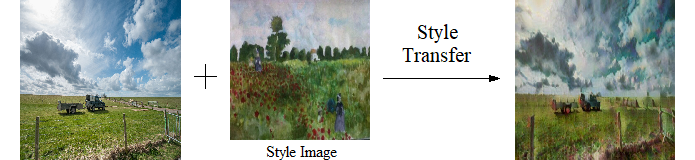
Gemini compares a source image with a style reference, then local image filters transfer an approximation of its palette, contrast, texture, and line character.
For better results, try to have a good number of feature matches in the source and style image. For example, if the source image is a photo of a farmland and the style image is a farmland painting, there will be a lot of feature matches (trees, sky, fields etc), and the output image should look good in general.
Submit Your Image
------ Help ------
Paste a public image URL below. When the preview is ready, click the Submit button.
You can obtain an image URL in a website by right clicking the image, and select "Copy Image Address" (Chrome), "Copy Image Location" (Firefox), "Copy Link" (Edge), "Copy Image Address" (Safari) etc, and then paste the URL here.
After you enter a valid image URL, the image will be displayed below. If an error appears, check that the URL points directly to a public image.
Style Image
------ Style Image Help ------
Enter a public style-image URL or select a predefined style from the dropdown menu.
After you entered a valid style image URL, your style image will be displayed below; otherwise an error will show up. In that case, please check your URL spelling.
Note: Selecting a style from the dropdown menu will generate a predefined URL in the URL textbox, overwriting any previous text in it!